> ## Documentation Index
> Fetch the complete documentation index at: https://www.voiceflow.com/docs/llms.txt
> Use this file to discover all available pages before exploring further.
# Version history
> Every publish records a version you can review and restore, so a change that goes wrong is a rollback rather than a rebuild from memory.
Open the version history from the history icon next to an environment in **Settings** → **Environments**.
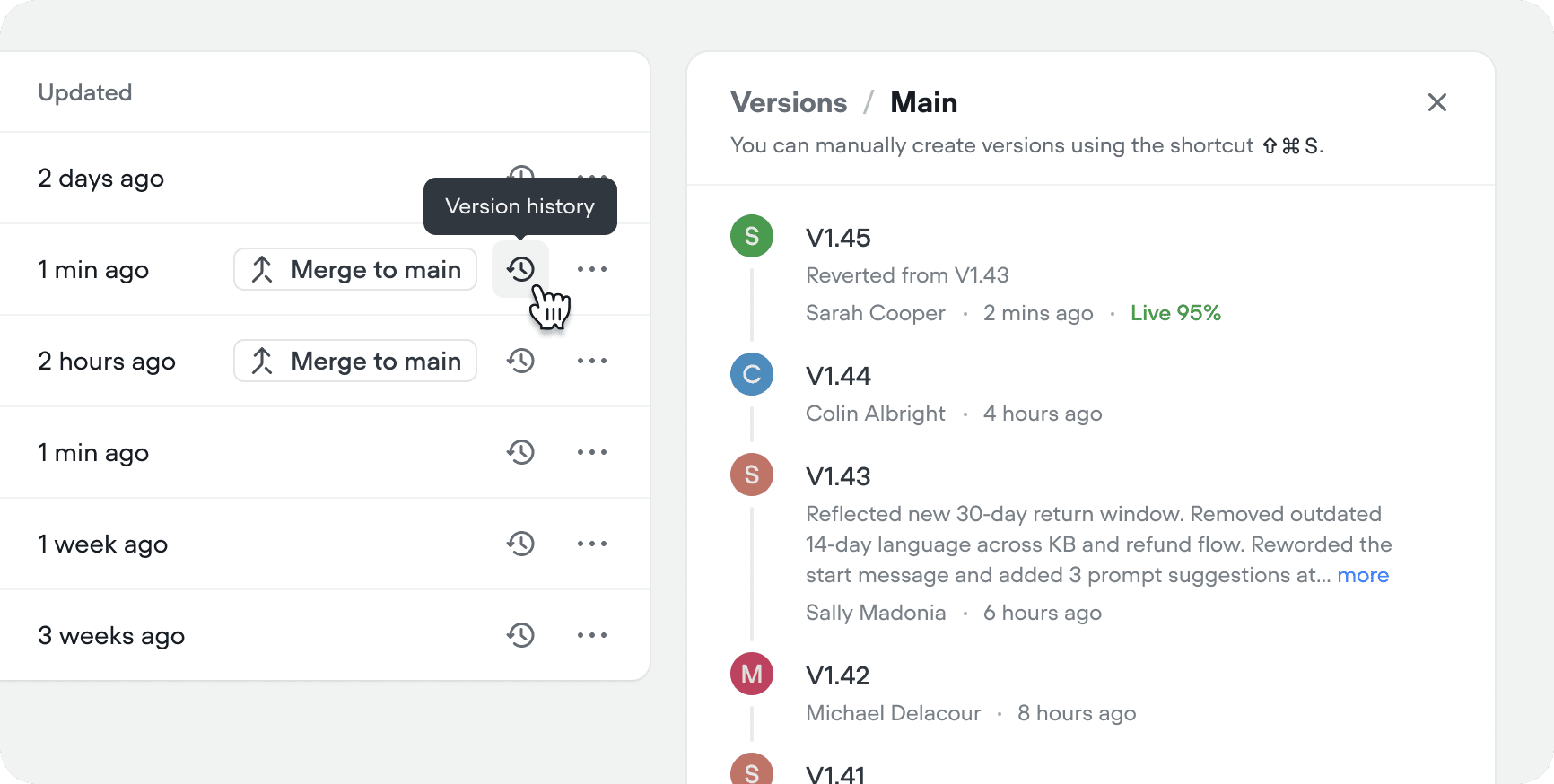 Each entry shows the version number, description, author, and publish time. The **Live** label marks the version your users currently interact with.
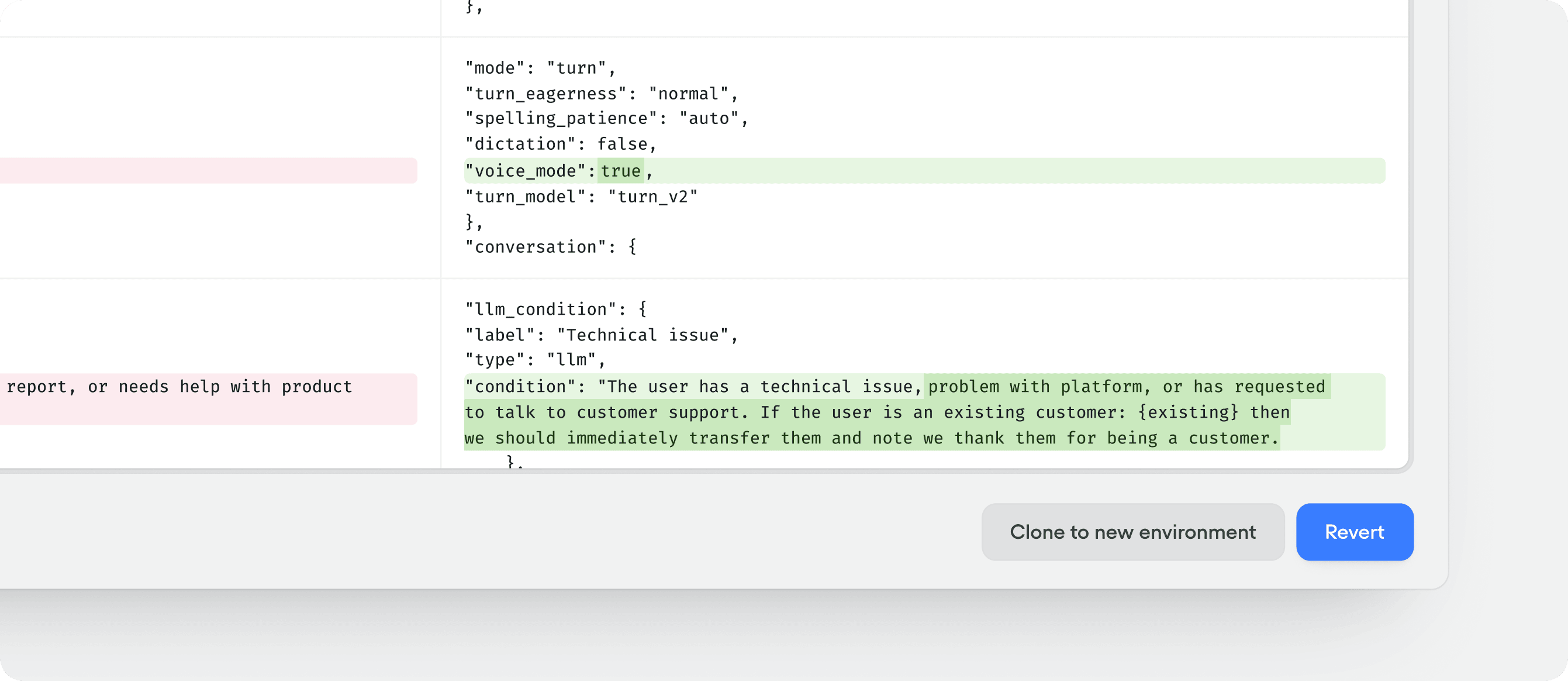
Click any version to open a comparison against the live version of the environment. From there you can:
* Click **Revert** to make the selected version live again. A new version is added to the history with a description noting which version you reverted from.
* Click **Clone to new environment** to create a new environment starting from the selected version.
Each entry shows the version number, description, author, and publish time. The **Live** label marks the version your users currently interact with.
Click any version to open a comparison against the live version of the environment. From there you can:
* Click **Revert** to make the selected version live again. A new version is added to the history with a description noting which version you reverted from.
* Click **Clone to new environment** to create a new environment starting from the selected version.
 Reverting only affects the environment you revert on; other environments are unchanged.