



Customer service plays a crucial role in any business. Every day, support teams handle a wide range of inquiries: “Where is my parcel?”, “Do you offer this product in blue?”, “How can I reset my password?”
Now, imagine having a virtual assistant that handles these common questions automatically—24/7, without human intervention. This is the power of chatbot automation.
What Is Chatbot Automation?
Chatbot automation refers to the use of AI-driven or rule-based chatbots to handle repetitive customer inquiries without requiring human intervention.
There are two main types of chatbots:
- Rule-Based Chatbots – These follow predefined scripts and respond based on keywords or menu selections.
- AI-Powered Chatbots – These leverage natural language processing (NLP) to understand customer inquiries and continuously improve their responses.
A chatbot can act as a first point of contact for customers—answering FAQs, assisting with product recommendations, processing simple service requests, or escalating complex issues to human agents.
In modern applications, chatbot automation is often part of a broader conversational AI strategy, where chatbots integrate with CRM, payment gateways, and knowledge bases to automate end-to-end workflows.
How Does Chatbot Automation Work?
- Customer Inquiry – A user submits a question via live chat, a messaging app, or a website chatbot.
- Data Processing – The chatbot analyzes the message, identifies relevant keywords, and searches its database for an appropriate response.
- Automated Response – If the chatbot has a relevant answer, it replies instantly. If not, it escalates the issue to a human agent.
- Continuous Learning – AI-powered chatbots refine their answers over time based on interactions and customer feedback.
💡 Pro Tip: Advanced chatbots use techniques like intent recognition and entity extraction to understand not just what the user says, but what they mean.
Benefits of Chatbot Automation for Customer Support
Why should businesses invest in chatbot automation? Here are the primary advantages:
1. Faster Response Times and 24/7 Availability
Unlike human agents, chatbots don’t need breaks. They are available at all times, providing instant responses—even outside regular business hours.
For companies with international customers, this ensures round-the-clock support without the need for additional staff.
2. Reduced Workload for Customer Support Teams
Support teams often spend significant time answering repetitive questions. A chatbot can handle inquiries like:
- Order status updates (“Where is my package?”)
- Account-related queries (“How do I reset my password?”)
- Product information (“Is this item available in red?”)
By automating these tasks, human agents can focus on more complex customer issues, improving service quality and efficiency.
3. Increased Sales and Smart Product Recommendations
A well-implemented chatbot does more than answer questions—it can drive sales by suggesting relevant products or services.
💡 Example:
A customer asks about winter jackets. The chatbot can:
- Show available jackets in different sizes and colors
- Suggest complementary products like scarves or gloves
- Provide discounts or special offers to encourage a purchase
4. Better Customer Insights and Data Collection
Chatbots collect valuable data on customer behavior, frequently asked questions, and pain points. This information helps businesses:
- Identify gaps in their product catalog
- Optimize their website layout and content
- Improve customer communication and marketing strategies
For example, if multiple users ask, “Do you offer free shipping?”, this might indicate that your shipping policies should be more prominently displayed.
5. Scalability Without Increased Costs
Whether it's 50 or 5,000 simultaneous conversations, chatbots scale instantly without hiring additional agents. This makes them ideal for businesses facing fluctuating or growing customer demand.
6. Improved Customer Satisfaction (CSAT)
Fast, accurate responses significantly boost customer satisfaction scores (CSAT) and Net Promoter Score (NPS), leading to improved brand loyalty.
What Makes a Successful Chatbot Automation?
Effective chatbot automation is not just about answering questions—it’s about designing conversations that feel natural, solve problems quickly, and know when to escalate to a human.
Success criteria include:
- High accuracy rate
- Efficient fallback and escalation process
- Positive CSAT and NPS trends
- Regular monitoring and optimization
How to Build Automated Chatbots (Step-by-Step)
Designing and implementing a chatbot automation with Voiceflow is easier than you might think—even if you don't have a background in coding. Voiceflow provides a powerful, low-code visual platform that allows you to build, prototype, and deploy sophisticated conversational AI agents for web, mobile, and messaging channels.
Here's a detailed walkthrough of how to build a production-ready chatbot automation using Voiceflow:
Step 0: Choose a Chatbot Provider and Signup for a Free Chatbot
Voiceflow is a free to try chatbot builder that allows you to build AI chatbots to help you automate repetitive tasks, responses to customer questions, lead generation, and more.
Step 1: Define Your Chatbot's Purpose and Scope
Before opening Voiceflow, start by defining:
- Who your chatbot will serve (customers, employees, partners)
- What use cases you want to automate (FAQs, order tracking, appointment scheduling, lead capture, etc.)
- The platforms where it will live (website, mobile app, WhatsApp, Messenger, etc.)
💡 Voiceflow Tip: It's best to start small by automating the most common tasks, and then expand your bot’s capabilities as you learn.
Step 2: Map Your Chatbot Workflow in Voiceflow
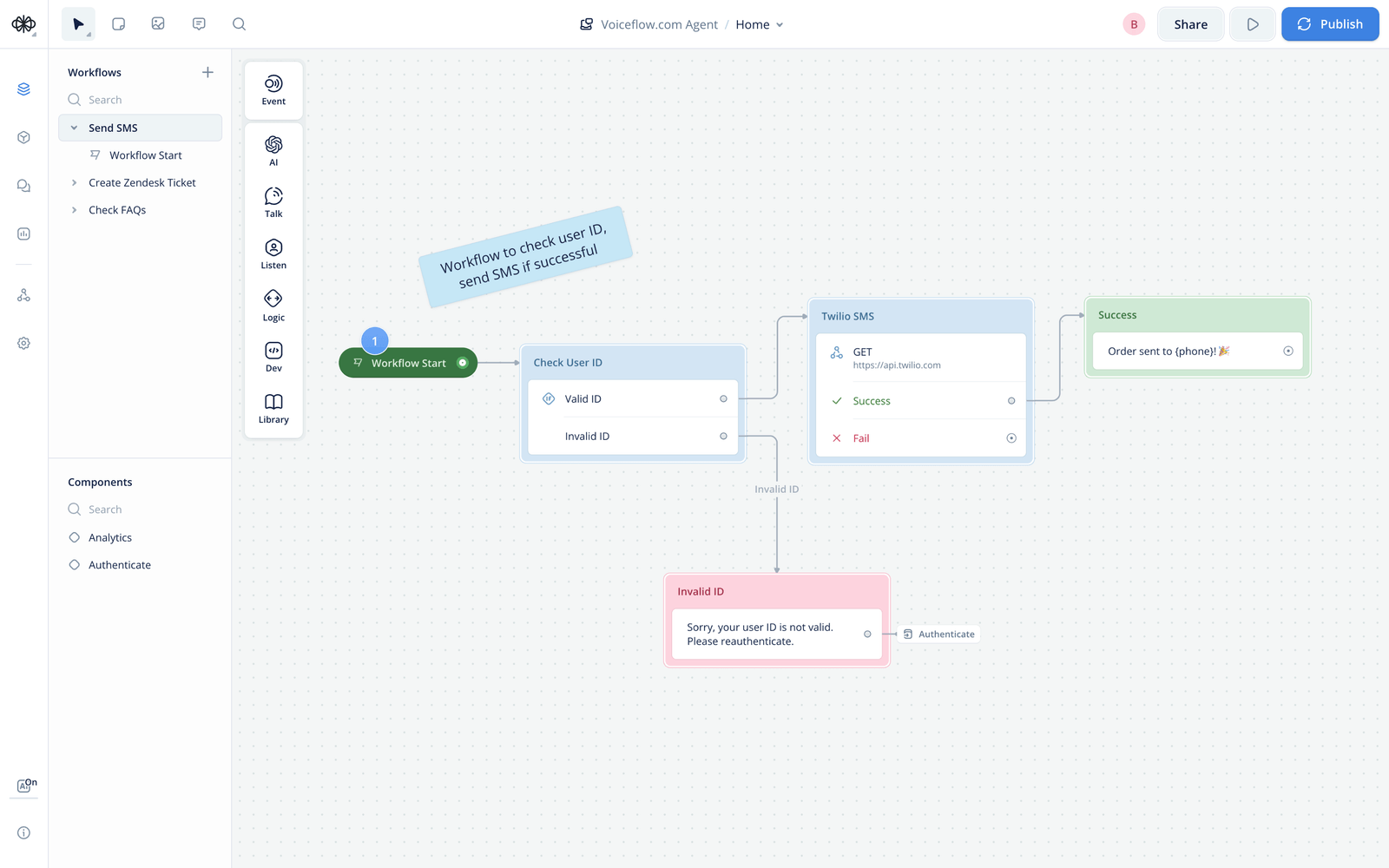
Voiceflow makes it easy to visually map your conversation using a drag-and-drop interface:
- Open a new project and select your preferred integration (chat, voice, or multi-modal).
- Use Intents to define user goals, such as Track my order, Book an appointment, or Reset my password.
- Connect Blocks (Voiceflow's building blocks) to design the conversation flow:
- Speak/Text Blocks for messages and responses.
- Choice Blocks to handle buttons, quick replies, or menu options.
- Capture Blocks to collect information like email addresses, order numbers, or appointment dates.
This visual approach helps you create natural, easy-to-understand conversation paths without writing a single line of code.
Step 3: Integrate External Data via APIs
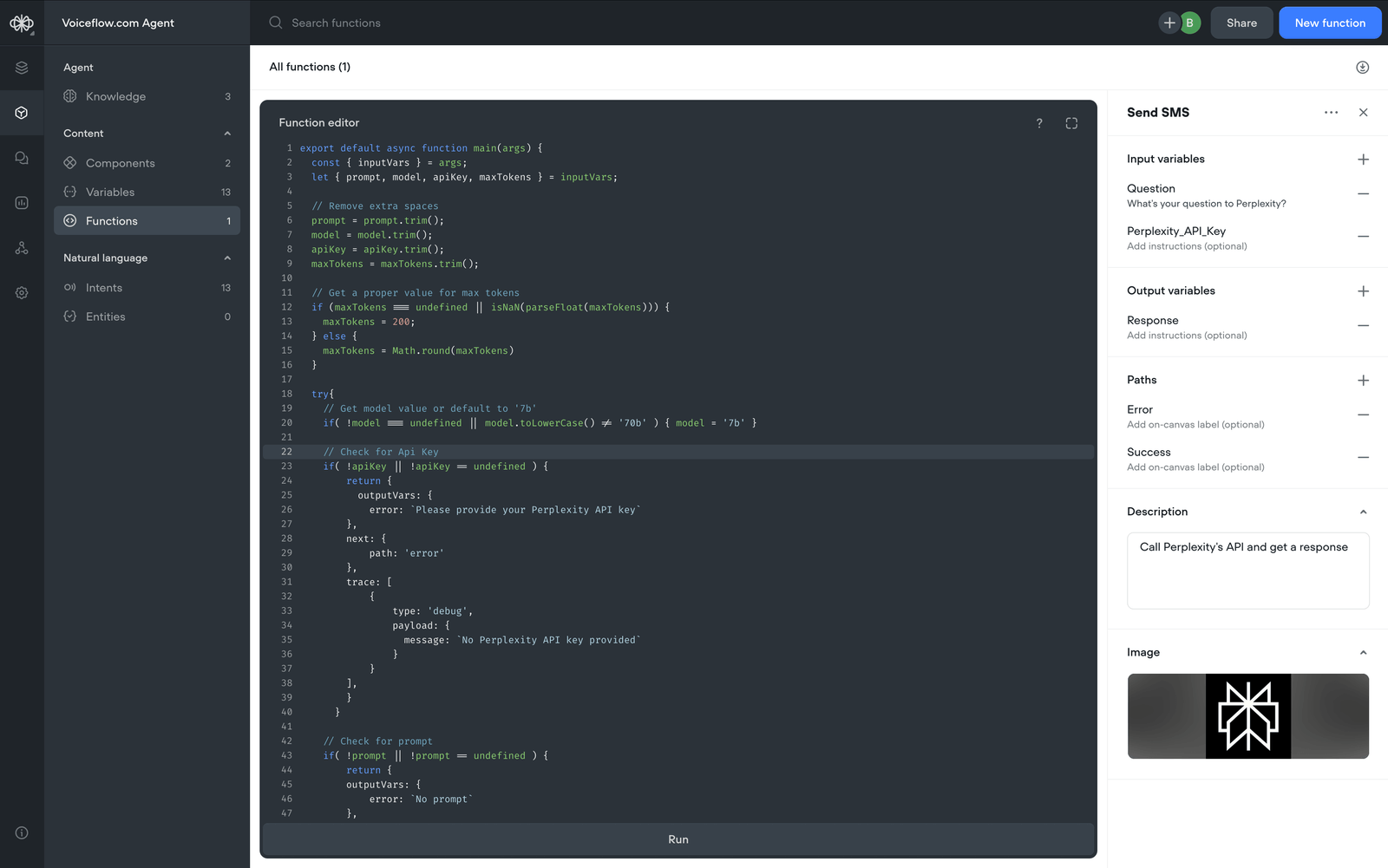
To make your chatbot dynamic, you will likely need it to connect to external systems like:
- CRMs (HubSpot, Salesforce)
- E-commerce platforms (Shopify, WooCommerce)
- Order management systems
- Custom internal APIs
Voiceflow’s API Block allows you to fetch, update, or send data securely to and from these systems. For example:
- Retrieve live order status from your fulfillment system.
- Pull customer details from your CRM for personalized responses.
- Push collected leads automatically into your sales pipeline.
💡 Pro Tip: Voiceflow lets you store fetched data in Variables, making it available for use throughout the conversation.
Step 4: Create Smart Conditional Logic
Use If/Else Blocks and Set Blocks to create dynamic, personalized conversations:
- Display different messages based on whether the customer is logged in.
- Show tailored product recommendations depending on past purchase history.
- Trigger escalation if certain keywords or sentiment indicators are detected.
Conditional logic ensures that your chatbot responds in ways that feel more human and context-aware.
Step 5: Test Your Chatbot Before Going Live
Voiceflow comes with an interactive Test Tool where you can simulate conversations directly inside the builder:
- Test various user inputs.
- Validate API responses.
- Check for conversation flow errors, fallback triggers, and edge cases.
You can also invite team members or stakeholders to test the chatbot collaboratively before deployment.
Step 6: Deploy Your Chatbot to Production Channels
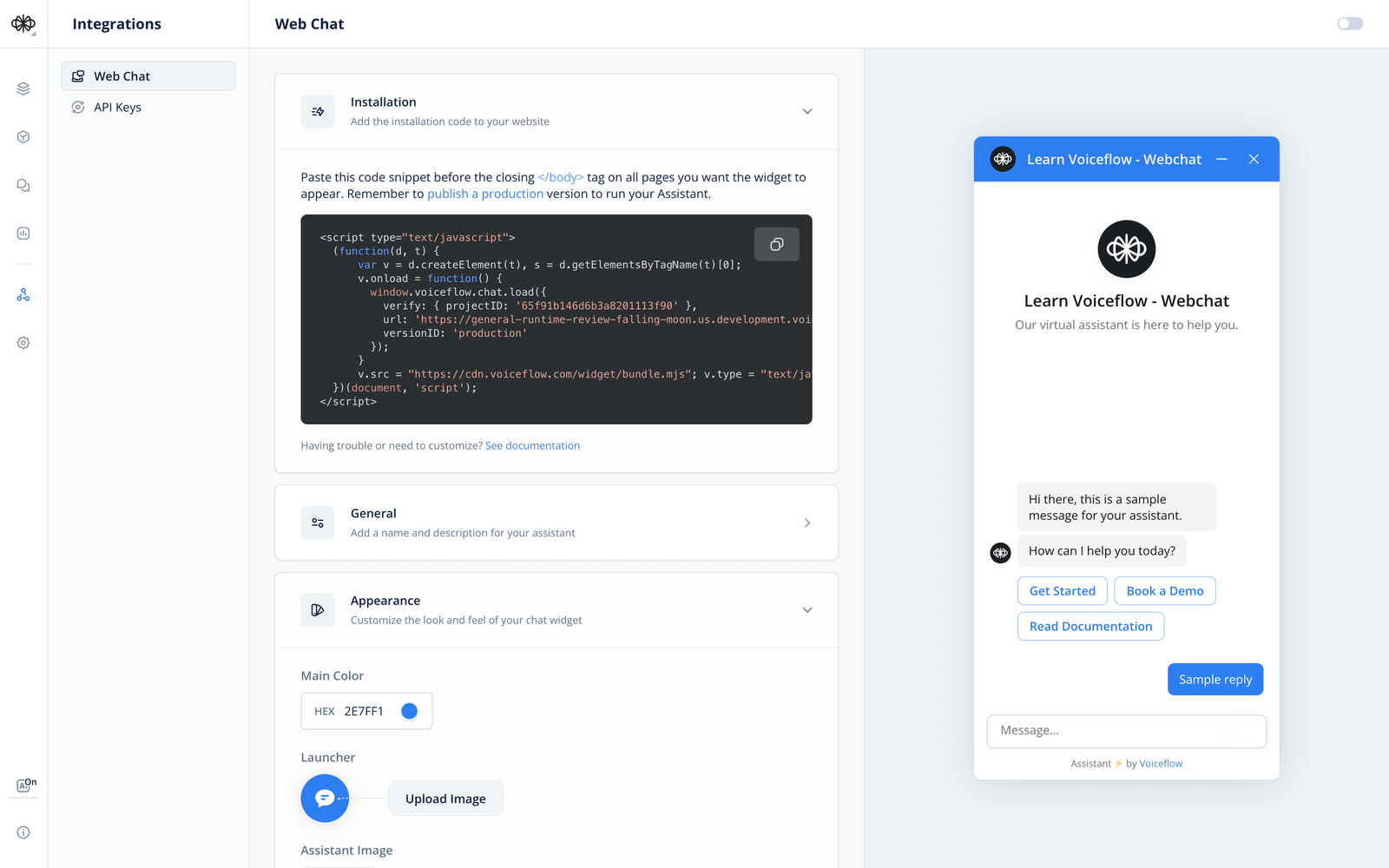
Once your chatbot is ready, Voiceflow makes deployment simple:
- Connect directly to Voiceflow’s Chat Widget to embed the chatbot on your website.
- Export to your preferred platform via API or SDK.
- Integrate with Dialogflow, Amazon Lex, or custom webchat interfaces if needed.
Voiceflow-generated chatbots are fully scalable and can handle enterprise-grade workloads while maintaining a low-latency experience.
Step 7: Monitor, Optimize, and Iterate
Successful chatbot automation is never “set it and forget it.” Voiceflow provides analytics and integrations to help you:
- Track conversation success rates, drop-offs, and user sentiment.
- Identify where users are getting stuck or confused.
- Continuously optimize conversation flows based on real user data.
💡 Voiceflow Tip: Set up user feedback prompts within the chatbot to gather direct input for improvement.
Example Use Case: Order Tracking Bot in Voiceflow
A simple order tracking chatbot automation might:
- Greet the customer and ask for their order number.
- Use an API Block to fetch the order status from your fulfillment system.
- Display the current status (e.g., shipped, out for delivery).
- Offer the customer further actions like Talk to an Agent or Get Estimated Delivery Date.
- Log the interaction and update your CRM automatically.
All of this can be built on Voiceflow’s canvas in under an hour—with no code.
Industries That Use Chatbot Automation and Benefit from Automated Chatbot Solutions
Chatbot automation is being adopted across various industries, including:
1. E-Commerce & Retail
- Assists with order tracking, returns, and product inquiries
- Provides personalized product recommendations
- Handles high customer interaction volumes
2. Banking & Financial Services
- Automates customer inquiries about accounts, transactions, and loans
- Provides 24/7 fraud detection alerts and support
- Helps customers understand different banking products
3. Healthcare
- Assists patients with appointment scheduling
- Answers general health-related queries
- Provides information about insurance coverage and medical services
4. IT & Software Support
- Troubleshoots basic technical issues
- Helps users reset passwords and access accounts
- Streamlines ticketing for IT support teams
Businesses across many sectors are finding new and innovative ways to use chatbot automation, making it a valuable investment for improving efficiency and customer satisfaction.
Best Practices for Getting Started with Chatbots
Starting with chatbot automation doesn’t have to be overwhelming. Here’s a structured approach:
- Begin with an FAQ Chatbot – Address common customer inquiries first.
- Integrate with Live Support – Ensure smooth escalation for complex issues.
- Expand Capabilities Gradually – Add features like order tracking, appointment scheduling, and personalized product recommendations.
- Continuously Analyze Performance – Use customer interactions to refine chatbot responses and improve efficiency.
Conclusion: Why Chatbot Automation Is Worth Exploring
Chatbots are becoming an essential part of modern customer service strategies. They help businesses streamline support operations, improve response times, and reduce costs.
Companies don’t need a fully AI-powered chatbot from day one. Even simple rule-based bots can provide immediate benefits, especially in handling high-volume, repetitive inquiries.
By implementing chatbot automation strategically and incrementally, businesses can achieve long-term success and customer satisfaction—without overcomplicating the process.
![How To Create Live Chat For Your Website [No Code]](/images/67cef0f36e42fcc5321069d5_665f4b58664a74547a4d95d2_Chatbot-20Basics.png)