



WhatsApp has become essential for businesses of all sizes. Whether you're a startup looking to streamline customer support or an enterprise aiming to integrate advanced functionalities, a WhatsApp chatbot can be a game changer.
This is where Voiceflow comes into play. Voiceflow is a powerful low-code platform that allows you to design, prototype, and deploy conversational experiences and AI agents with ease. Its intuitive, visual interface makes it accessible to non-developers while still offering the flexibility and depth to execute custom code required for more complex applications you would expect from an AI chatbot builder. With Voiceflow, you can rapidly iterate on your ideas and deploy your AI chatbot across multiple channels without needing to write extensive code. Best of all, you can build your and test your bot for free on Voiceflow.
But why stop at just designing a chatbot? Voiceflow’s robust integration options empower you to connect your chatbot to WhatsApp—a platform with over 2 billion users globally.
In this guide, we’ll show you how to connect your Voiceflow chatbot to WhatsApp using a third-party tool called FlowBridge. This method gives you way more control and customization, including rich media support like buttons and images—right inside WhatsApp.
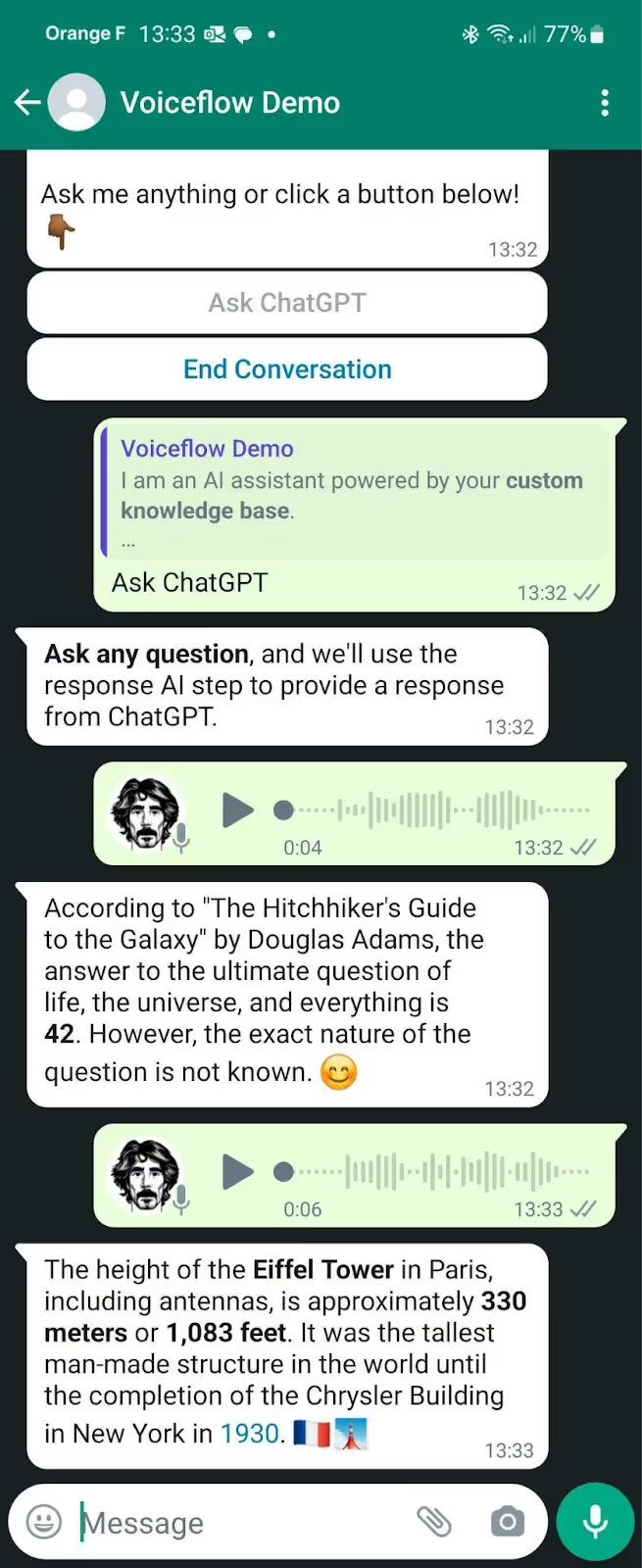
Whether you're looking to provide better customer support or automate common queries, this setup is ideal for teams that want full flexibility from design to deployment.
Let’s break it all down step by step.
Looking to deploy with the help of a template?
If you're looking to build a chatbot on WhatsApp with some help, check out our templates and experts.
Best Way to Build an AI WhatsApp Bot
Before we dive in, here’s a quick summary of how the integration works:
- You’ll create a Meta (Facebook) Business account and set up WhatsApp API access.
- You’ll generate a secure API key/token from Meta.
- Then, you’ll use FlowBridge to bridge your Voiceflow project with the WhatsApp API.
- Finally, you’ll configure a webhook to complete the integration and test your chatbot.
Why Voiceflow?
Voiceflow isn’t just a drag-and-drop chatbot builder—it allows for deeply interactive conversational experiences. Instead of a static FAQ bot, you can build dynamic flows with logic, buttons, visuals, and natural language understanding.
Why FlowBridge?
FlowBridge acts as the glue between WhatsApp’s API and your Voiceflow assistant. It supports advanced features like multimedia messages and button interactions, making your WhatsApp bot feel polished and engaging.
How to Create an AI WhatsApp Chatbot
Part 1: Setting Up Your Meta (Facebook) Environment
1. Create a Facebook Account
If you don’t already have one, sign up at facebook.com. You’ll need this to access Meta’s business and developer tools.
2. Set Up Meta Business Suite
- Head to Meta Business Suite (search or visit business.facebook.com).
- Create a Business Account linked to your Facebook profile.
3. Access Meta for Developers
Go to developers.facebook.com. This is where you’ll create your WhatsApp API application and manage tokens.
Part 2: Creating a WhatsApp API Application
4. Create a New App
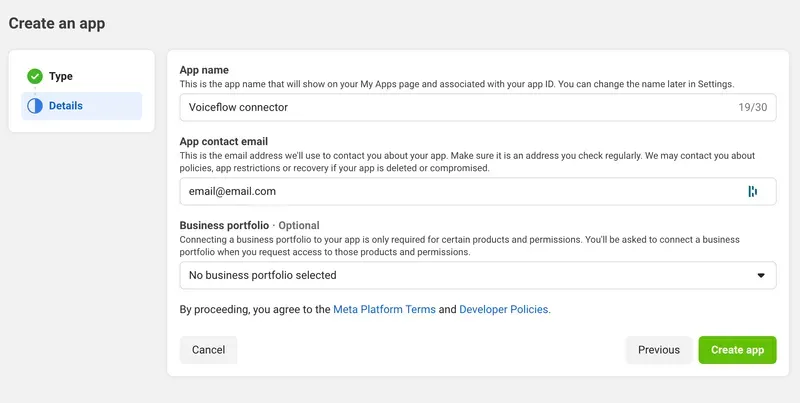
- Click “Create App” on the Meta for Developers dashboard.
- Select “Other” as the App Type.
- Choose “Business” for the use case.
5. Enter App Details
- Give your app a name like “Voiceflow to WhatsApp”.
- Provide your email and link your Meta Business Account.
- Click Create App (you may be asked to enter your Facebook password).
6. Set Up WhatsApp Integration
- Once inside your app dashboard, scroll down and find the WhatsApp product.
- Click “Set up” to enable it.
Part 3: Generating a WhatsApp API Key (Access Token)
7. Create a System User
- Navigate to “System Users” in the left menu.
- Click “Add”, assign a name, and choose Admin role.
- Enable all admin access using the toggle switch.
8. Generate a New Token

- Click your new system user, then click “Generate New Token”.
- Select your app from the dropdown.
- Make sure to add permissions:
- whatsapp_business_management
- whatsapp_business_messaging
Copy this token and store it securely—it’s your key to integrating with WhatsApp!
9. Assign Your App to the System User
Click Assign Assets > Select Apps > Find your app > Give full permissions > Save.
Part 4: Connecting Voiceflow to WhatsApp via FlowBridge
10. Sign Up for Voiceflow
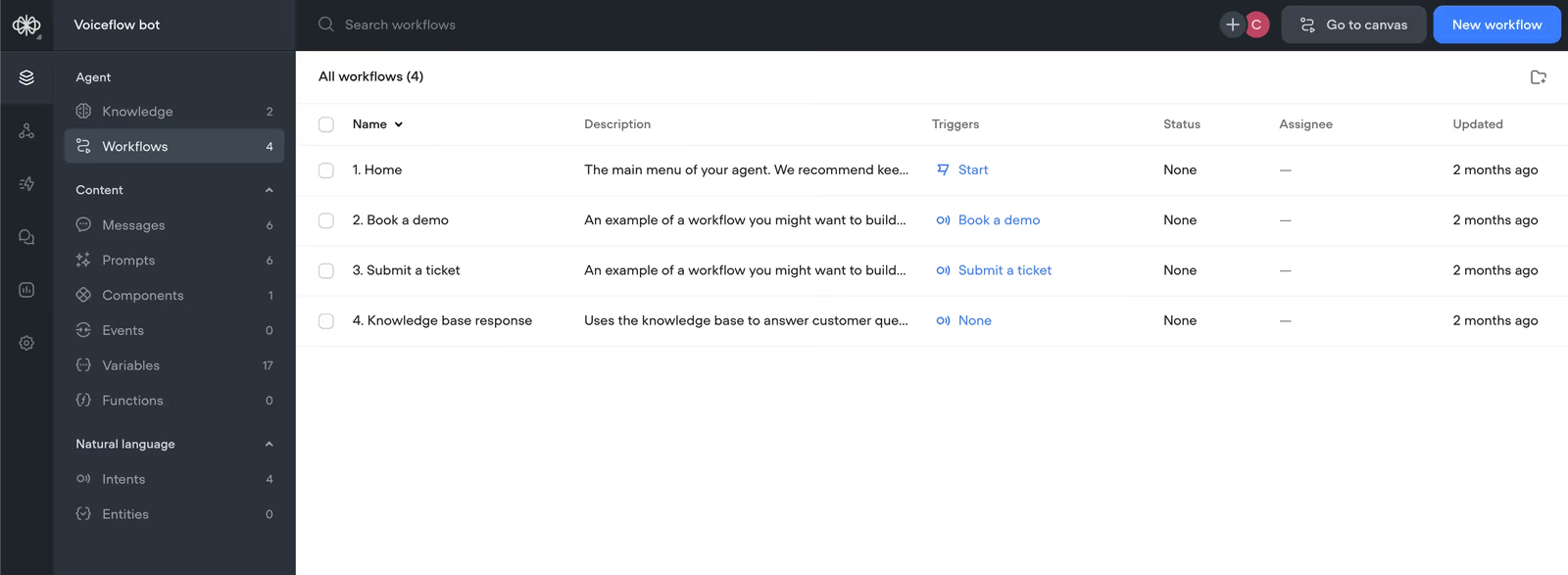
If you haven’t already, signup for Voiceflow. Voiceflow is the platform we will use to build an AI agent that can respond and interact with users on WhatsApp, as well as do advanced interactions such as integrating with other platforms such as ZenDesk or Shopify.
11. Sign Up for FlowBridge
Visit FlowBridge and sign up. There’s a 14-day free trial to get started.
12. Create a Client Company
- In the FlowBridge dashboard, go to Client Companies.
- Click “New Client Company”, name it (e.g., “Voiceflow Test”), and click Create.
13. Add Your Voiceflow Project
- Go to Voiceflow Projects in FlowBridge.
- Click “New Voiceflow Project” and assign it to your client company.
You’ll need:
- Voiceflow Project ID (copy it from the URL of your project in Voiceflow).
- API Key (found in the Voiceflow “Integrations” panel).
Paste these into FlowBridge and click Create.
Part 5: Final Integration with WhatsApp
14. Create a New Client Integration
- Go to Client Integrations in FlowBridge.
- Click “New Client Integration” > Choose your client and project.
Follow the wizard:
- Name your integration
- Choose “WhatsApp” as the channel
You’ll be shown:
- A Webhook URL
- A Verification Token
Copy both of these.
15. Add Webhook Details in Meta for Developers
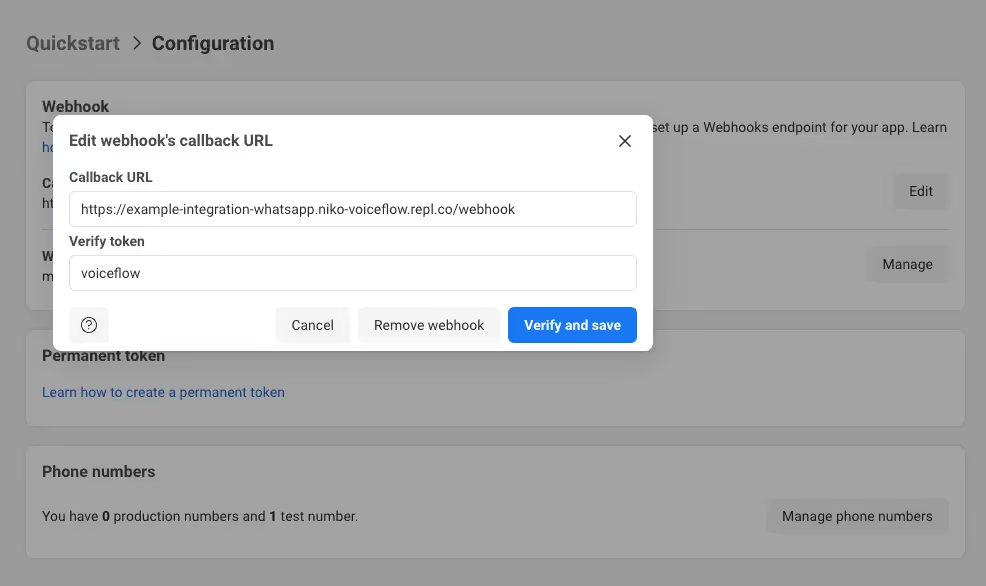
- Go back to your app in developers.facebook.com.
- Navigate to WhatsApp settings.
- Paste the Webhook URL and Verification Token where requested.
- Click “Verify and Save”.
16. Enable Messages
After verifying, look for the Messages toggle and enable it. This activates your chatbot on WhatsApp.
Part 6: Test Your Chatbot
That’s it—you’re live!
- Send a message to your connected WhatsApp Business number.
- Watch as your Voiceflow assistant responds, just like you designed—with smart replies, buttons, and images.
Key Takeaways
- Voiceflow lets you build rich, interactive chatbot experiences—beyond just text.
- FlowBridge acts as the intermediary between Voiceflow and WhatsApp.
- You need to set up a Meta Developer App, create an API token, and configure webhooks.
- Once done, your bot can respond inside WhatsApp with a fully customizable conversational interface.
Conclusion
If you’re looking to bring your chatbot into WhatsApp—and want the flexibility to include buttons, images, and custom logic—Voiceflow + FlowBridge is a powerful combo.
💡 Want a head start? Check out our free templates.
Or, book a free call with our team if you need help setting it up for your business.
![Help Desk Automation: What to Automate and How to Measure It [2026]](/images/help-desk-automation-og.jpg)