



![5 Free Chatbot Templates You Need [2026 Tutorial]](/images/6a62083ce1609f3caa7de967_6a6207c0da0c6c4f04804006_hero.webp)
Most people building their first chatbot start with a blank canvas, and most of them regret it. You spend the first week rebuilding things every support team has already built a hundred times: a greeting, a fallback, a handoff to a human, a form that captures an email. A template skips that part. You start from a working flow and spend your time on the 20% that's actually specific to your business.
A template won't design your agent for you. But it gives you a running start and a reference for how a decent flow is put together. Below are five chatbot templates worth starting from, what each is for, and a real business already running that pattern. All five are free to copy and edit.
What Is a Chatbot Template?
A chatbot template is a ready-made agent that ships with the parts you'd otherwise build from scratch: a conversation flow, sample prompts, API hooks, and default settings. Voiceflow has a library of templates and examples you can copy into your workspace and customize. Think of it as a starting point, not a finished product. You still decide what your agent says, which systems it connects to, and where it hands off to a person. The template just means you're editing instead of starting at zero.
The 5 Chatbot Templates Worth Starting From
These five cover the jobs most teams actually need a chatbot for. Each is a pattern you can lift and adapt, with a real business already running something like it.
1. Customer Support Template
The most common first project, and the one with the clearest payoff. A support template handles the repetitive questions (order status, hours, returns, "how do I reset my password") so your team only sees the ones that need a person. The good ones ground their answers in your help docs instead of guessing, and hand off cleanly when they're stuck.
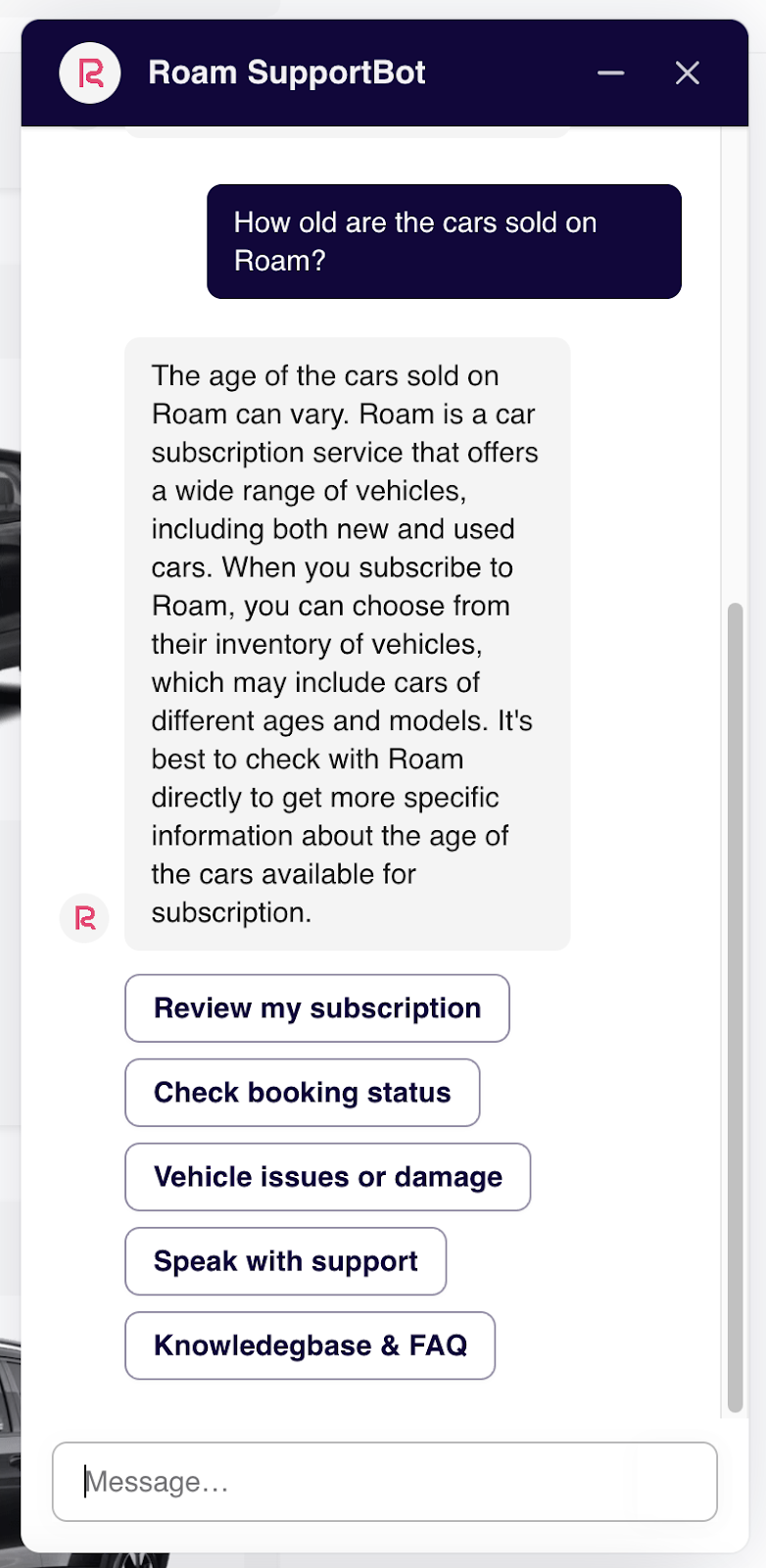
Roam, an online car-leasing service, runs exactly this. Its SupportBot, powered by Voiceflow, mixes menu buttons with a free-text box so visitors can either tap through common questions or just ask. It saved the team about 30 hours a week. Pair a support template with a knowledge base and a clean human handoff step and you've covered most of what a customer service chatbot needs on day one.
2. Lead Generation Template
A lead-gen template's whole job is to start a conversation and capture contact details before the visitor leaves. It qualifies (a couple of questions to gauge fit), captures (name, email, what they're after), and routes the good ones to a human to follow up.
The Dufresne Group, a Canadian furniture retailer, leaned on this pattern when in-store traffic dropped. Its chatbots collected contact information from online browsers, then reps followed up with live chat and video walkthroughs of the pieces people were eyeing. The same shape works for any considered purchase. If that's your use case, our lead generation chatbot guide walks through the flow step by step.
3. E-commerce & Product Finder Template
Shoppers don't want to scroll forty product pages. A product-finder template asks a few questions ("what's it for, what's your budget, any must-haves?") and narrows the catalog to a short list, with images, prices, and links.
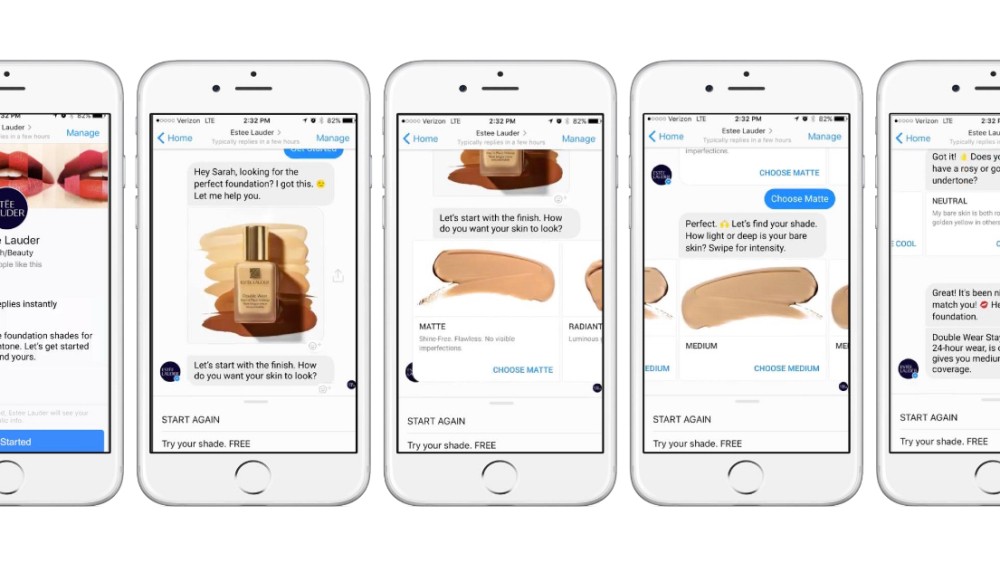
Estée Lauder built a version of this into Facebook Messenger: customers describe what they want and the assistant surfaces matching products with photos, shades, and links to buy. It's a good reminder that the template is the flow, not the channel. The same shopping-assistant pattern runs on a website widget, in WhatsApp, or inside your app. Our e-commerce chatbot breakdown covers the full pattern.
4. Booking & Appointment Template
If your business runs on appointments (real estate, restaurants, clinics, home services), a booking template is the highest-impact one to start from. It answers questions about availability, collects the details it needs, and books or hands off, at any hour.
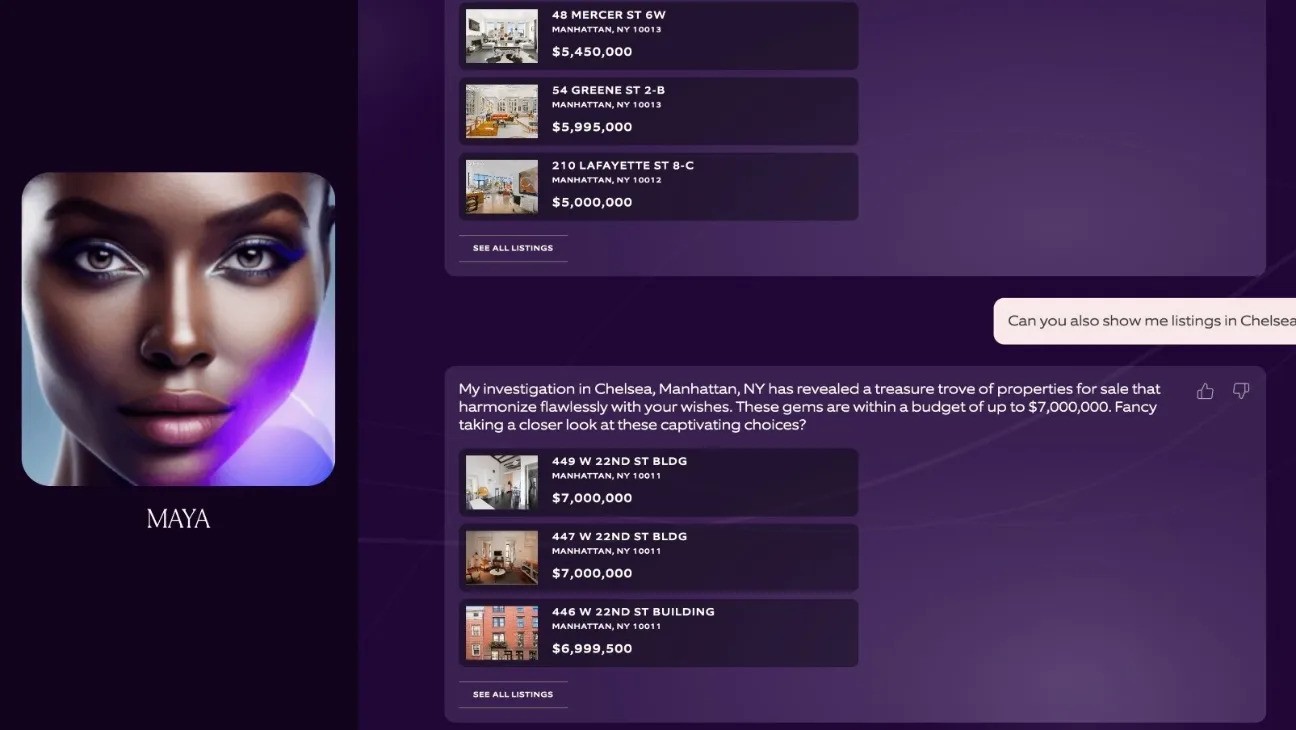
Eklund-Gomes, one of New York's better-known real-estate firms, runs an assistant named "Maya" (built on ChatGPT) that helps buyers find listings, answers questions about specific properties, and points people toward open houses. Restaurants and hotels use the same shape for reservation and booking flows: take the request, confirm the details, done.
5. Marketing & Engagement Template
This one's less about support and more about attention. A marketing template runs a campaign interaction: a quiz, a giveaway, a poll, a product reveal, usually tied to a specific moment.
Mountain Dew's DEWbot is the classic example. During its "Rig Up" Twitch campaign, the bot ran live polls with viewers and gave them a shot at winning a gaming PC, turning a passive stream into a two-way promotion. It's a dated example now, but the pattern holds: a short, self-contained interaction built to drive engagement rather than deflect tickets. If that's your goal, start with our chatbot for marketing guide.
How to Choose the Right Template
Two questions get you most of the way there. First, what's the one job you want this agent to do well? A bot that tries to do all five of the above at once will do none of them well. Pick the pattern that matches your primary use case and add the rest later. Second, where will it live: your website, a phone line, WhatsApp, inside your product? The channel shapes the flow, so start from a template built for it.
One more thing worth doing before you launch: decide what happens when the agent doesn't know the answer. A fallback to a human, a link to a form, or an honest "I can't help with that yet" all beat a confident wrong answer. Good conversation design is mostly about handling the unhappy paths, and a template gives you a sane default to start from. That's also the difference between a scripted FAQ bot and a real customer service automation that holds up in production.
How to Use a Chatbot Template in Voiceflow
You don't need to write any code to get a template running. Here's the fastest path:
- Create a free Voiceflow account. The free tier is enough to build and test a full agent.
- Open the templates library.
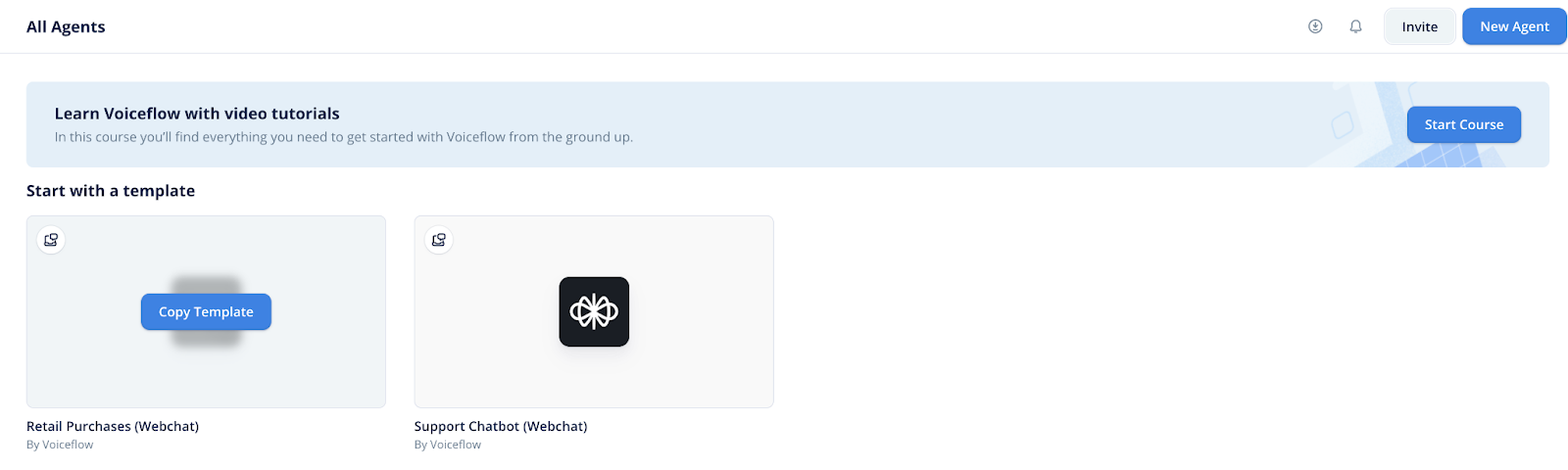
- Pick the template that matches your use case, click "Get Template," then "Copy Template" into your workspace.
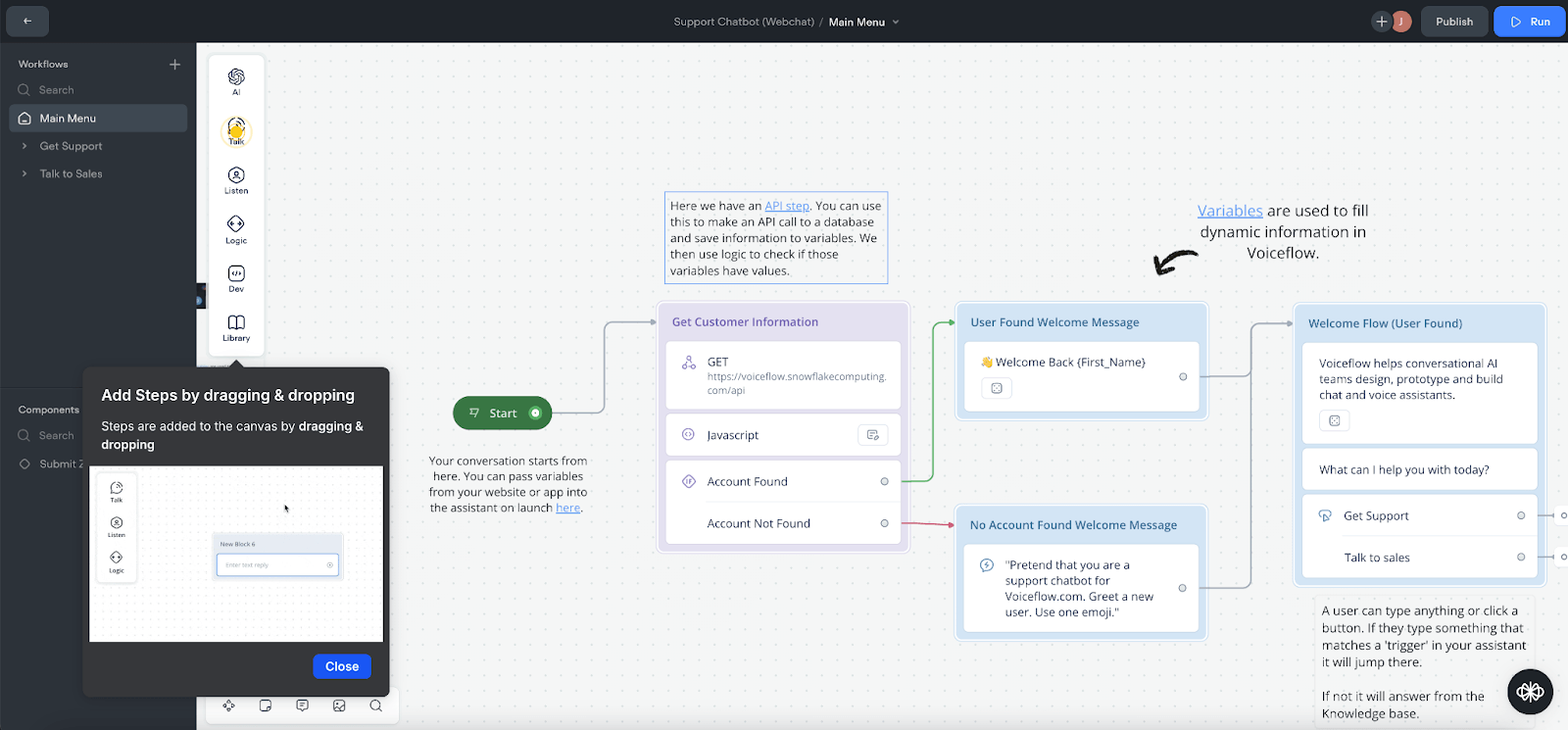
- Your agent loads straight into the editor. Swap in your own copy, connect your systems, and point it at your knowledge base so it answers from your content.
- Test it, then publish to your channel. If you'd rather build the flow yourself, our how to create a chatbot guide starts from zero.
The advantage of starting in Voiceflow rather than a single-purpose template tool: you're not boxed into one model or one channel. You can run OpenAI, Anthropic, or Google models, mix deterministic Workflows with LLM-driven Playbooks, and grow the same project from a scripted FAQ bot into real agentic AI. Once it's live, observability shows you where real conversations go sideways so you can fix them.
![Python Chatbot Code You Can Copy and Paste [2026]](/images/python-chatbot-698d7970-og.jpg)